
How to Check Keyword Ranking in Google Search Console
·2 min read
In this article
Knowing where your website ranks for specific keywords is essential for any SEO strategy. Google Search Console provides this data for free, showing you exactly which search queries bring users to your site and where you rank in search results.
In this tutorial, you'll learn how to use Google Search Console's Performance report to check your keyword rankings, analyze individual query performance, and track your average position over time.
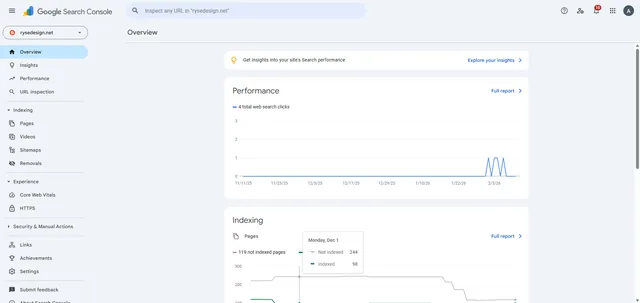
Here's how to check keyword ranking in Google Search Console
- Open the Search property dropdown.
- Choose your website property for which you want to check the ranking.
- Go to "Performance" to view your search analytics data.
- Select the Queries tab to see a list of keywords which search terms drive traffic to your site.
- Choose a query keyword to analyze its performance.
- View the Average position metric to see how this query ranks in search results.
Your turn to show how it works.
Build a walkthrough of your product with Saltfish, then share it with your customers.
Frequently Asked Questions
Google Search Console data typically has a 24-48 hour delay. The Performance report may take a couple of days to reflect the latest search data, so don't expect real-time ranking updates.
 Google Search Console